Danelec VDR SVDR DM100
Danelec Marine A/S
Refurbished
Manufacturer: Danelec Marine A/S
Country of Origin: Denmark
Model / Series: DM100
Product Type: Voyage Data Recorder (VDR) / Simplified Voyage Data Recorder (S-VDR)
Main Unit: Data Acquisition Unit (DAU) with Data Processing Unit (DPU)
Primary Applications: Recording and preservation of navigation, bridge audio, communications, radar/ECDIS, alarms, machinery and other shipboard data.
Danelec describes the DM100 VDR as a dedicated maritime Voyage Data Recorder designed for passenger ships and cargo vessels of 3,000 GT and above in its applicable installation category. The original DM100 is now listed by Danelec among its legacy products, while technical documentation remains available.
The Danelec DM100 VDR is a professional marine data-recording system designed to continuously collect and preserve information about a vessel's navigation, bridge environment, communication equipment, propulsion commands, alarms and other critical operational parameters.
For post-incident investigation, the recorded information can help reconstruct what happened before, during and after a maritime casualty. Danelec's DM100 architecture combines a Data Acquisition Unit, protected recording capsule, Bridge Control Panel, bridge microphones and optional interfaces for video, analog, digital and serial data.
The DM100 S-VDR is the simplified variant. Danelec states that its legacy DM100 S-VDR was developed to meet the S-VDR performance requirements of IMO MSC.163(78) and IEC 61996-2 Ed.2.


A Voyage Data Recorder is commonly described as the marine equivalent of an aircraft flight recorder. It continually collects information from important ship systems and stores it so that authorities, shipowners and investigators can later analyze an incident.
Depending on vessel configuration, a DM100 installation may collect data from equipment such as:
Danelec's operator documentation shows interfaces for serial navigation data, bridge/VHF audio, radar video, Ethernet data and optional analog/digital inputs through a Sensor Interface Unit.
The DM100 Data Acquisition Unit provides 30 days of recording capacity on its built-in SSD, allowing a significant period of voyage data to remain locally available.
Danelec specifies 48 hours of recording capacity for the protective fixed capsule. The capsule communicates through 100BASE-TX Ethernet and is powered from the Data Acquisition Unit.
The protective capsule incorporates an acoustic underwater beacon specified for 90 days, helping locate the capsule following vessel sinking.
The standard DAU provides 12 serial-data inputs, seven Ethernet-data interfaces and ten audio inputs. Danelec's manual shows that larger system configurations can expand to 36 serial, 32 analog, 128 digital, 18 audio and eight video inputs using additional modules.
The DM100 DAU includes a built-in UPS using NiMH batteries to maintain essential operation during loss of normal vessel power.
The Bridge Control Panel provides access to the VDR's Operational Performance Test (OPT) and displays system cautions.
Recorded VDR data or diagnostic support dumps can be exported through the Data Processing Unit using a USB storage device.
Danelec's DM100 system was supplied with VDR Explorer software for monitoring and playback of recorded data on a PC, including graphical and numerical presentation.
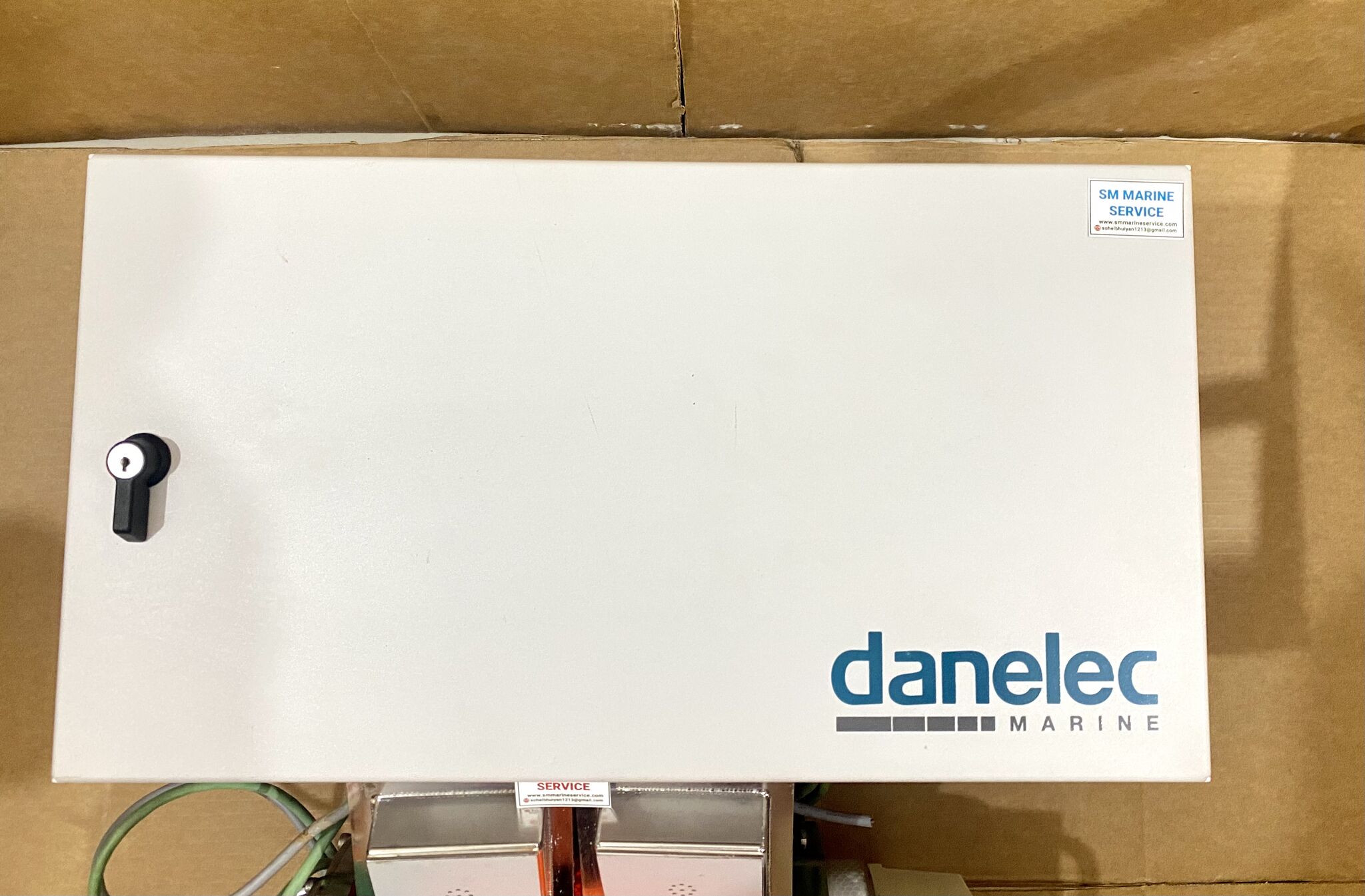
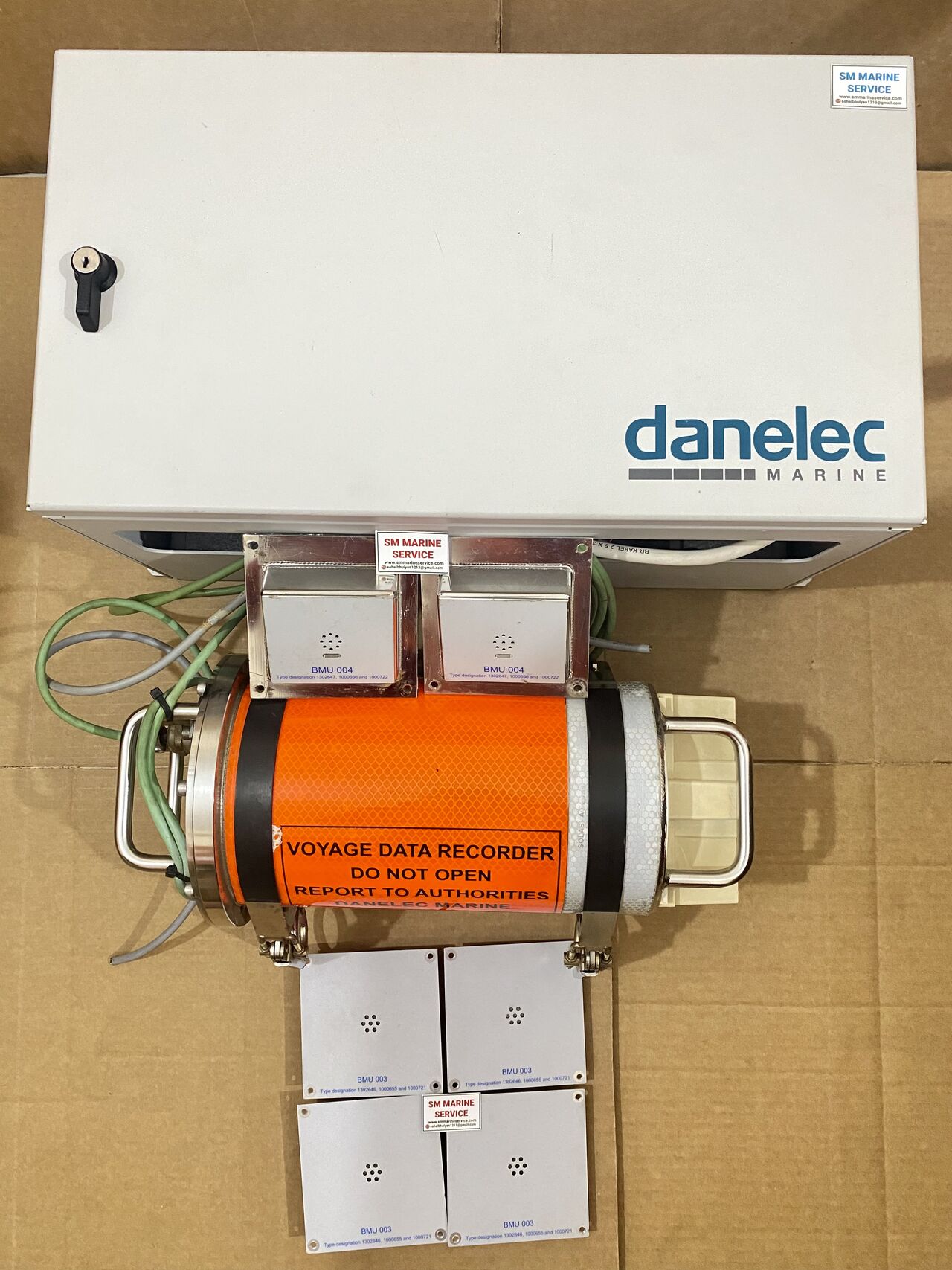
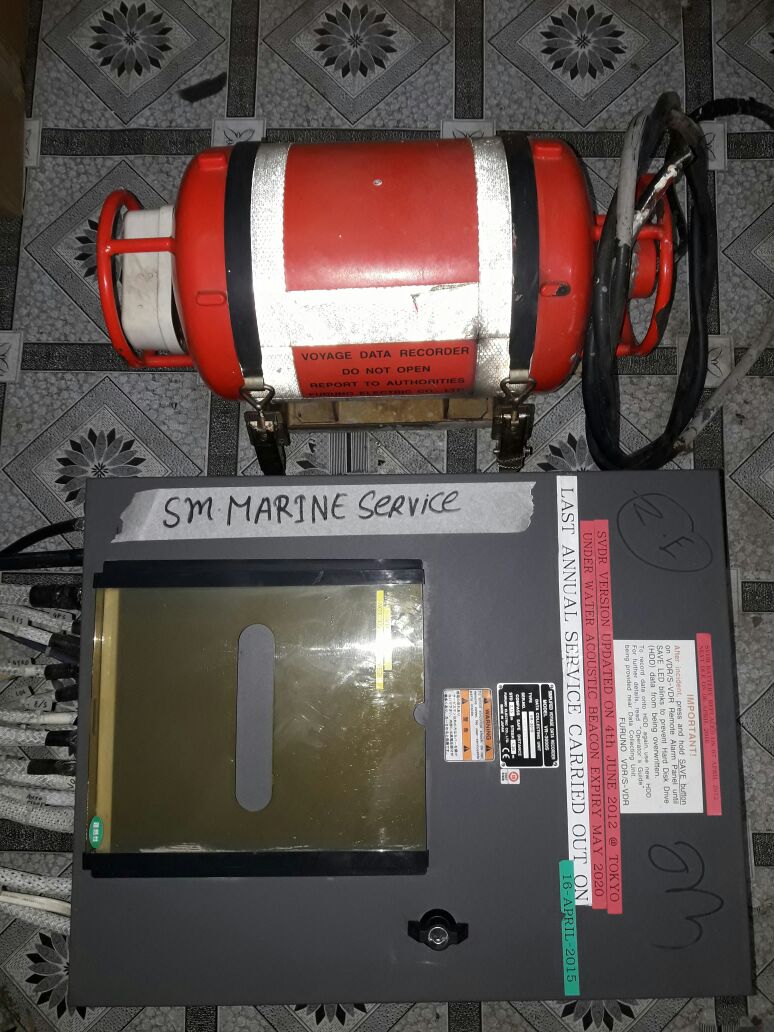
The Data Acquisition Unit is the main equipment cabinet visible in many DM100 installations. It contains the Data Processing Unit and interfaces used to acquire and store data.
Danelec specifies dimensions of approximately 495 × 250 × 242 mm and weight of about 11 kg for the DM100 DAU.
Typical standard interfaces include:
10 audio inputs – 12 serial inputs – 7 Ethernet interfaces – AC 110–230 V, 50/60 Hz.
The fixed capsule is normally installed externally, close to the vessel's centerline and commonly above the bridge. Danelec documentation identifies the orange protected unit as the main fixed recording capsule.
Specifications include:
48-hour recording capacity
90-day underwater acoustic beacon
100BASE-TX Ethernet
PoE supply from the DAU
50 m supplied cable.
Full VDR installations under the applicable standard can additionally incorporate a float-free capsule installed similarly to an EPIRB.
The float-free recorder provides another method of preserving voyage information if the vessel sinks.
The Bridge Control Panel is the normal crew interface with the DM100.
It provides:
The operator manual identifies the BCP spare part as P/N 1302379.
Multiple microphones are installed around the bridge to record audible bridge conversation and alarm sounds.
Danelec documents both indoor and waterproof outdoor versions:
BMU 003 / P/N 1302646 – Indoor
BMU 004 / P/N 1302647 – Outdoor.
The outdoor version is specified as IP66 and incorporates a buzzer for self-testing.
The optional SIU is used where vessel signals cannot be supplied directly over serial or Ethernet.
A typical compact SIU provides:
8 serial inputs
8 analog inputs
64 digital inputs.
The RVI is used where older radar or other bridge equipment cannot provide image information directly through Ethernet.
Danelec documentation identifies versions supporting analog or DVI video and two recording channels per interface.
The DM100 VDR is designed for commercial vessels where voyage-data recording is required under applicable SOLAS/IMO rules. Danelec identifies its full DM100 VDR for passenger vessels and qualifying cargo vessels, while the S-VDR version addresses the simplified recording requirements applicable to its certification category.
Typical vessel installations include container ships, bulk carriers, tankers, passenger vessels, LNG/LPG carriers, general cargo ships and other SOLAS vessels.
The system is important not only after an accident. Shipowners can also use downloaded VDR data for operational analysis, training and investigation of technical or navigational incidents.
The DM100 operator manual identifies 702 CAPSULE when the VDR cannot detect the fixed capsule.
Check:
Do not immediately replace the capsule before verifying communication and power.
Danelec documents error 004 SYSTEM FATAL ERROR as an unrecoverable system error. The first action is to reboot the VDR; if it persists, the manual points to possible CPU-board or system-RAM failure.
The BCP uses a steady yellow indication for system cautions. Open the Alerts menu and identify the exact error code before attempting repair.
If only one navigation parameter is missing while other recordings remain healthy, the main VDR is not necessarily defective.
Check the relevant:
Sensor → IEC 61162 interface → cabling → DAU serial input → configuration.
For older radar installations using an RVI, inspect the video cable, RVI power, Ethernet connection and interface configuration.
Danelec states that RVIs are used specifically to capture video from equipment such as older radar systems that cannot provide images directly through Ethernet.
Check:
Outdoor microphones are particularly exposed to weather and moisture.
Inspect the internal battery pack, charging system and AC supply.
Battery age should be checked during scheduled service because the VDR must continue its required recording functions when normal vessel power is interrupted.
The DM100 should be inspected regularly as safety-critical bridge equipment. The operator manual requires functional verification after service work on any sensor whose data is being recorded.
Routine maintenance should include checking the DAU cooling fans, battery pack, capsule cable, capsule beacon, BCP alarms, microphone self-test, radar/ECDIS recording, navigation sensor inputs and time synchronization.
Keep the DAU door locked after installation and normal commissioning, as specified in the operator manual.
The Annual Performance Test (APT) should be carried out according to applicable statutory requirements by qualified personnel.
The original DM100 and DM100 S-VDR are now listed as legacy products by Danelec, but the company continues to retain technical-document access and supports later DM100 generations.
Many vessels continue using these systems because the VDR may already be integrated with dozens of bridge, navigation and machinery signals. Replacing a complete VDR can involve extensive cabling, sensor interfacing, radar/ECDIS integration, microphone replacement, commissioning and statutory testing.
For this reason, sourcing a compatible DAU, DPU, MK4 capsule, Bridge Control Panel, BMU microphone, RVI, SIU or other DM100 spare part can remain a practical repair strategy for an existing approved installation.
Danelec also promotes conversion kits that can reuse existing cabling and mounting hardware when an eventual upgrade is necessary.
Both versions exist: DM100 VDR and DM100 S-VDR / S-VDR G2. The exact vessel equipment should be confirmed from its nameplate and configuration.
The protective fixed capsule provides approximately 48 hours of recording capacity.
Danelec specifies approximately 30 days on the internal SSD for the DM100 VDR.
It means the VDR cannot detect the fixed capsule. Cable, PoE, Ethernet communication and capsule/interface hardware should be checked.
The BCP is the main operator interface for viewing VDR cautions and initiating the Operational Performance Test.
Yes. Ethernet image input is supported, while Remote Video Interfaces can be used for compatible legacy video sources.
Yes. The operator manual provides a procedure for downloading recent VDR data or a troubleshooting dump to a USB device.
Danelec currently lists the original DM100 VDR and DM100 S-VDR among legacy products that are no longer sold, while newer DM100 generations are available.
The Danelec DM100 VDR / S-VDR is a professional marine Voyage Data Recorder system manufactured by Danelec Marine A/S, Denmark. The system records navigational, communication, bridge audio, radar/ECDIS, alarm and machinery-related data. Major components include the Data Acquisition Unit, Data Processing Unit, protective fixed capsule, optional float-free capsule, Bridge Control Panel, Bridge Microphones, Sensor Interface Unit and Remote Video Interface. The standard full VDR provides 30-day DAU storage and a 48-hour protected capsule recording capacity.
Marine Automation & Navigation Equipment Supplier
Available Condition:
• New Equipment • Used Equipment • Refurbished Equipment • Reconditioned Equipment
Stock Location:
• Bangladesh • China
Services:
• Worldwide Shipping • Technical Support • Spare Parts Supply • Marine Equipment Sourcing
Contact Information
SM MARINE SERVICE™ Samir Market, DT Road, Pahartali, beside CDA Market, Chattogram, Bangladesh
Mobile / WhatsApp / Viber: +88 01818 929292
Email: info@smmarineservice.com
Website: www.smmarineservice.com
0
BDT 0
BDT 0
BDT 0
BDT 0
Marine Equipment Supplier